

Overview
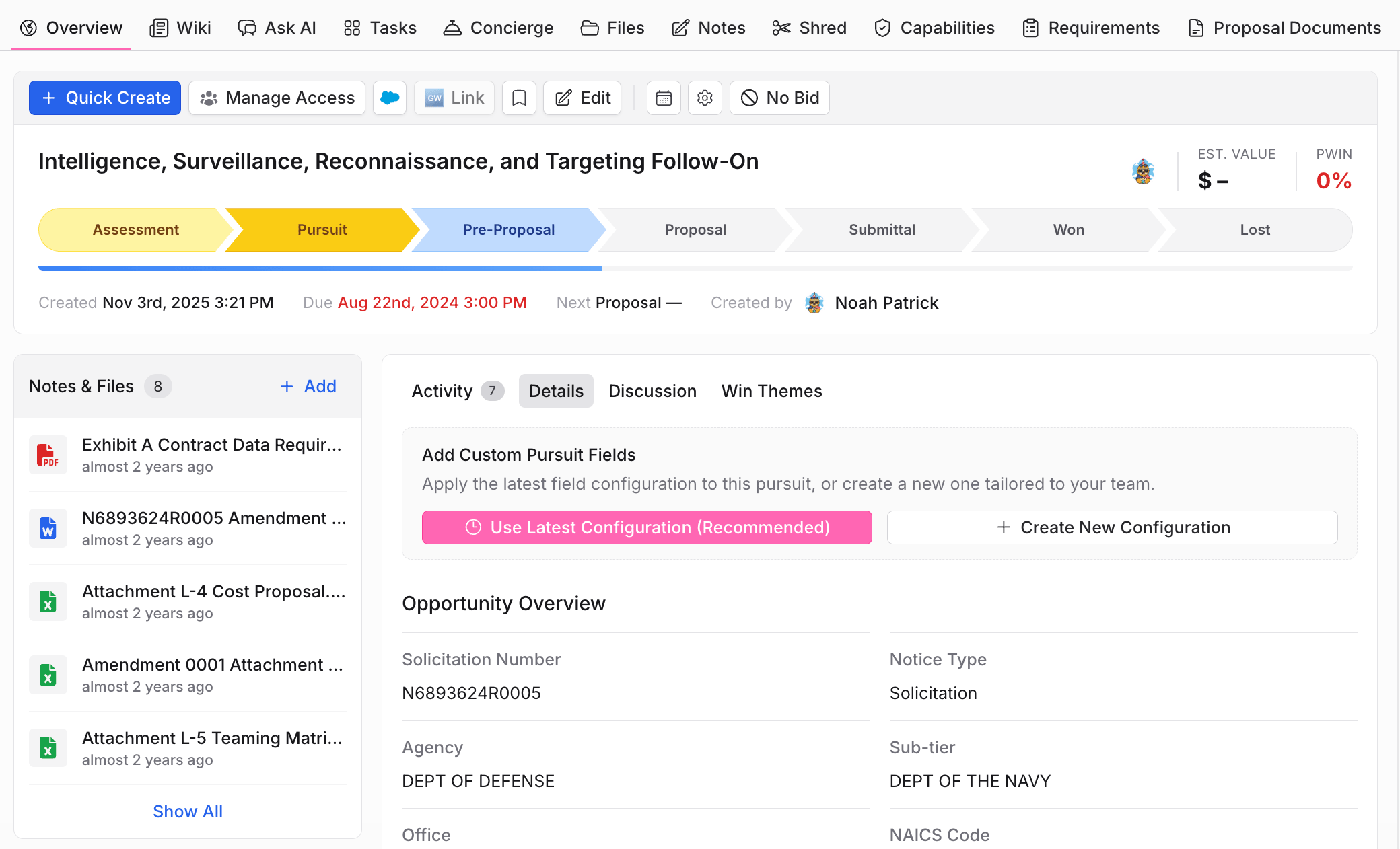
The Overview is where you check where a pursuit stands. It shows:- The stage pipeline (for example Assessment → Pursuit → Pre-Proposal → Proposal → Submittal → Won/Lost), estimated value, and PWin
- Opportunity details pulled from the solicitation: solicitation number, agency, office, NAICS, and notice type
- Notes and files, plus tabs for activity, discussion, and win themes
- Quick actions: edit, manage access, link to Salesforce or GovWin, and record a No Bid
Wiki
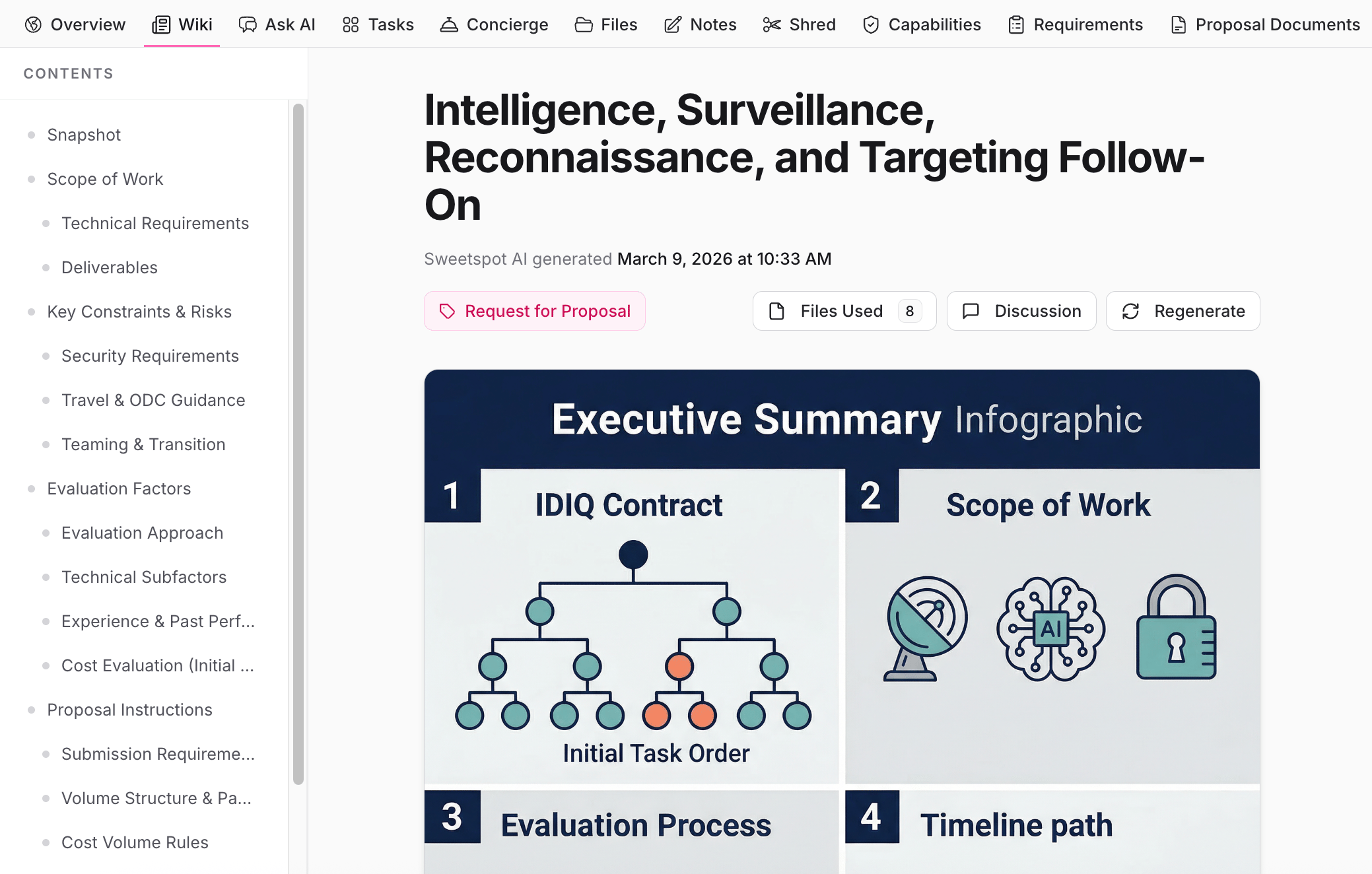
The Wiki is an AI-generated snapshot of everything in the solicitation, so anyone on the team can get up to speed without reading 300 pages of RFP. Sweetspot builds it from the pursuit’s files and organizes it into sections like scope of work, technical requirements, key constraints and risks, evaluation factors, and proposal instructions.- Every page lists the files used, so you can verify claims against the source
- Regenerate rebuilds the wiki when amendments or new documents arrive
Ask AI
A chat scoped to this pursuit. The AI sees the pursuit’s files, requirements, and notes, and answers with citations. Suggested Playbooks and the workspace rail (pursuit files, Library files, citations) sit alongside the conversation. See Ask AI. Use it for questions the Wiki doesn’t answer directly: “What are the Section L page limits?”, “Does the SOW require a SCIF?”, “Compare amendment 2 against the original deadline.”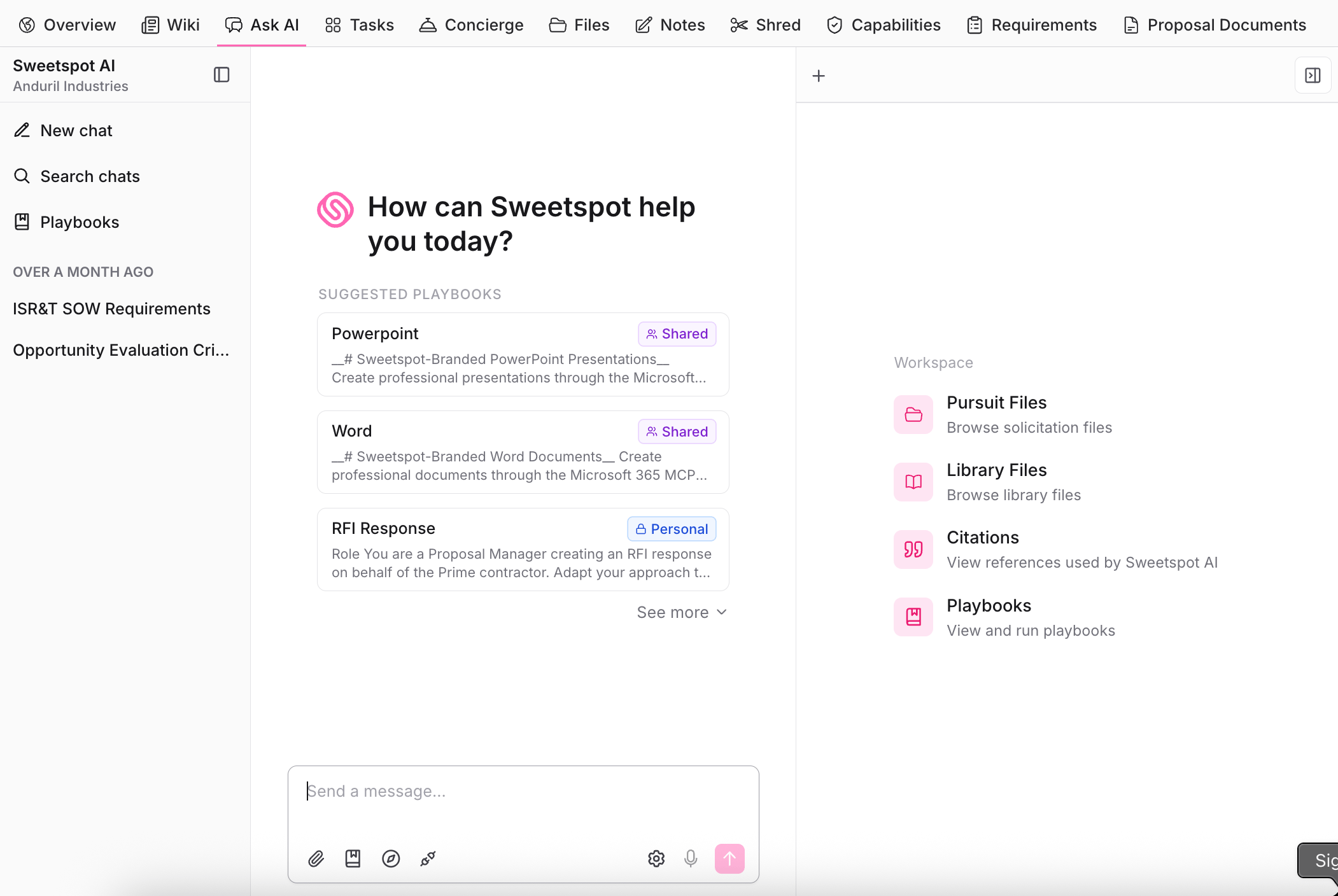
Pursuit chats are different from the Ask AI tab in the left sidebar. A chat started here has all the context from the pursuit’s files, and it lives in this tab: it won’t appear in the broader Ask AI chat list. If you’re looking for a conversation about a pursuit, open that pursuit’s Ask AI tab.
Tasks
Task tracking for the pursuit, so ownership and deadlines are explicit. Each task has a status, priority, assignee, and due date, plus comments with @mentions to notify teammates. The calendar view lays every deadline out by date. Use Tasks to run the proposal schedule: color team dates, volume owners, question submission deadlines, and the small to-dos that fall through the cracks in email.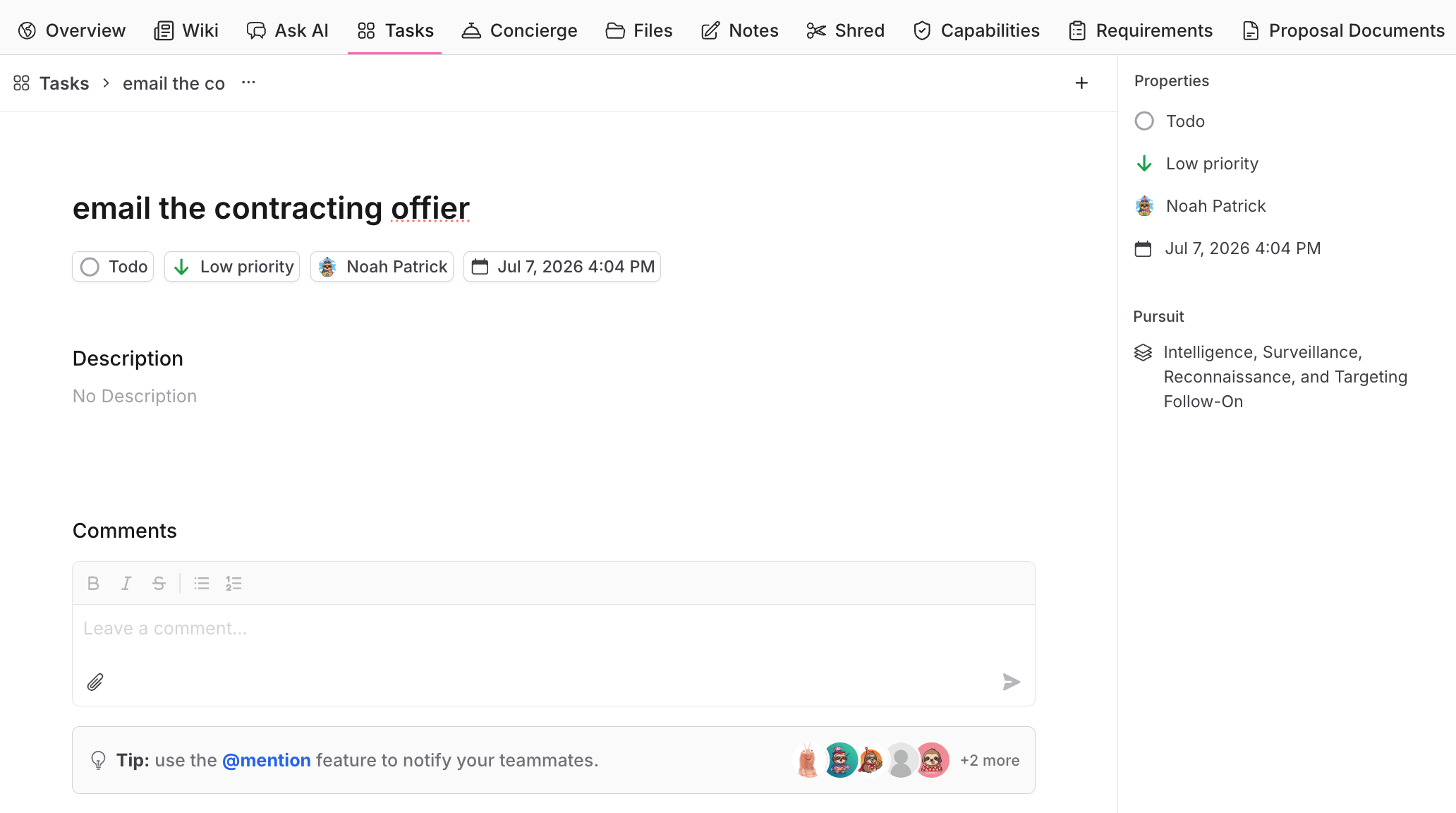
Concierge
Route pursuit work to the Sweetspot team as a managed service. Available on select plans.Files
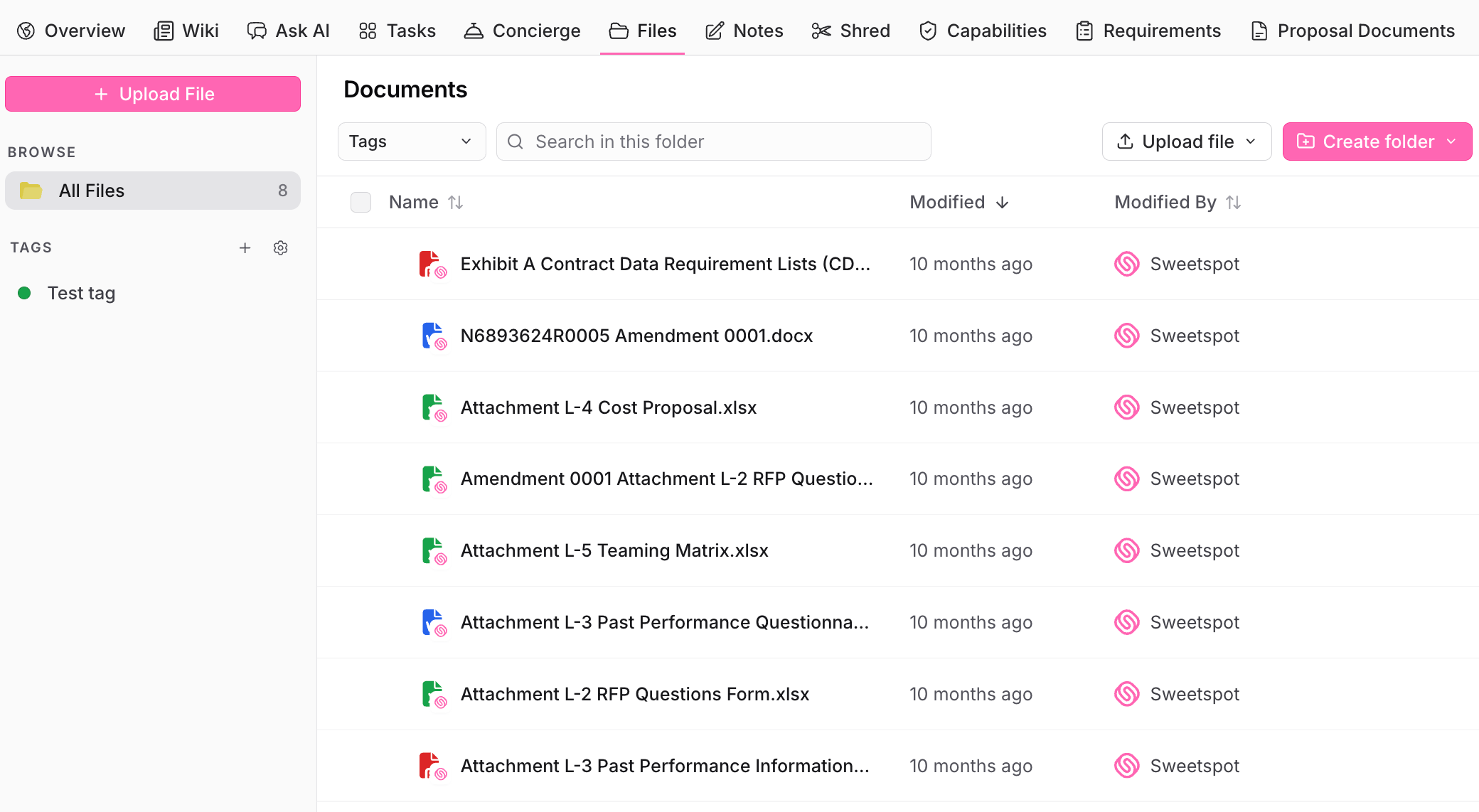
The pursuit’s document repository: solicitation documents, amendments, and working files.- Organize with folders and tags, and search within a folder
- Upload files directly, or let integrations (like GSA eBuy) attach them automatically
- Copy files worth reusing into your Library so future pursuits benefit
Notes
Rich-text notes with formatting, sharing, and export to Word. AI-drafted content, like win themes, lands here with citations back to the source files. Use Notes for content that’s pursuit-specific but not part of the proposal document itself: win theme drafts, call notes, and internal strategy.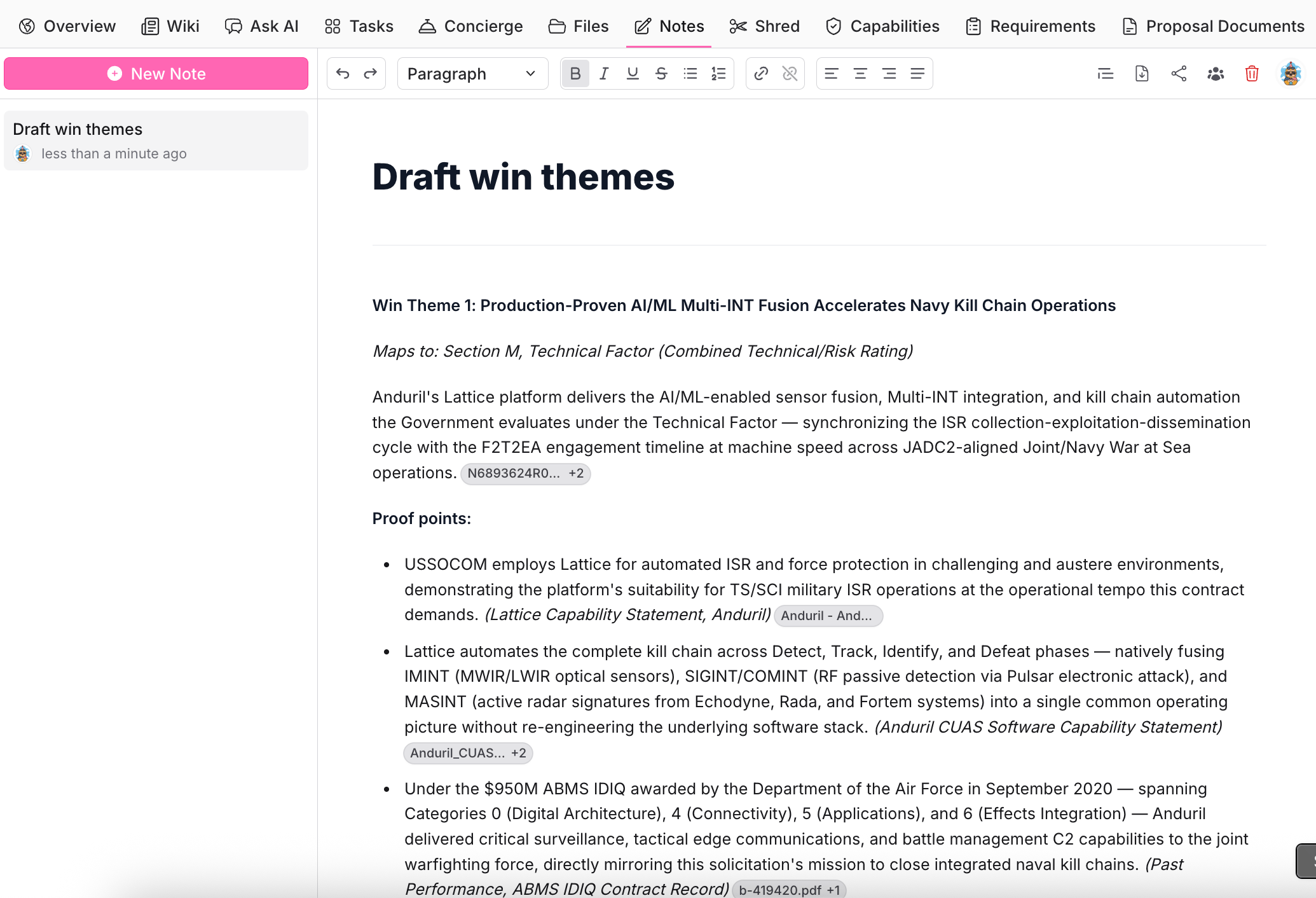
Shred
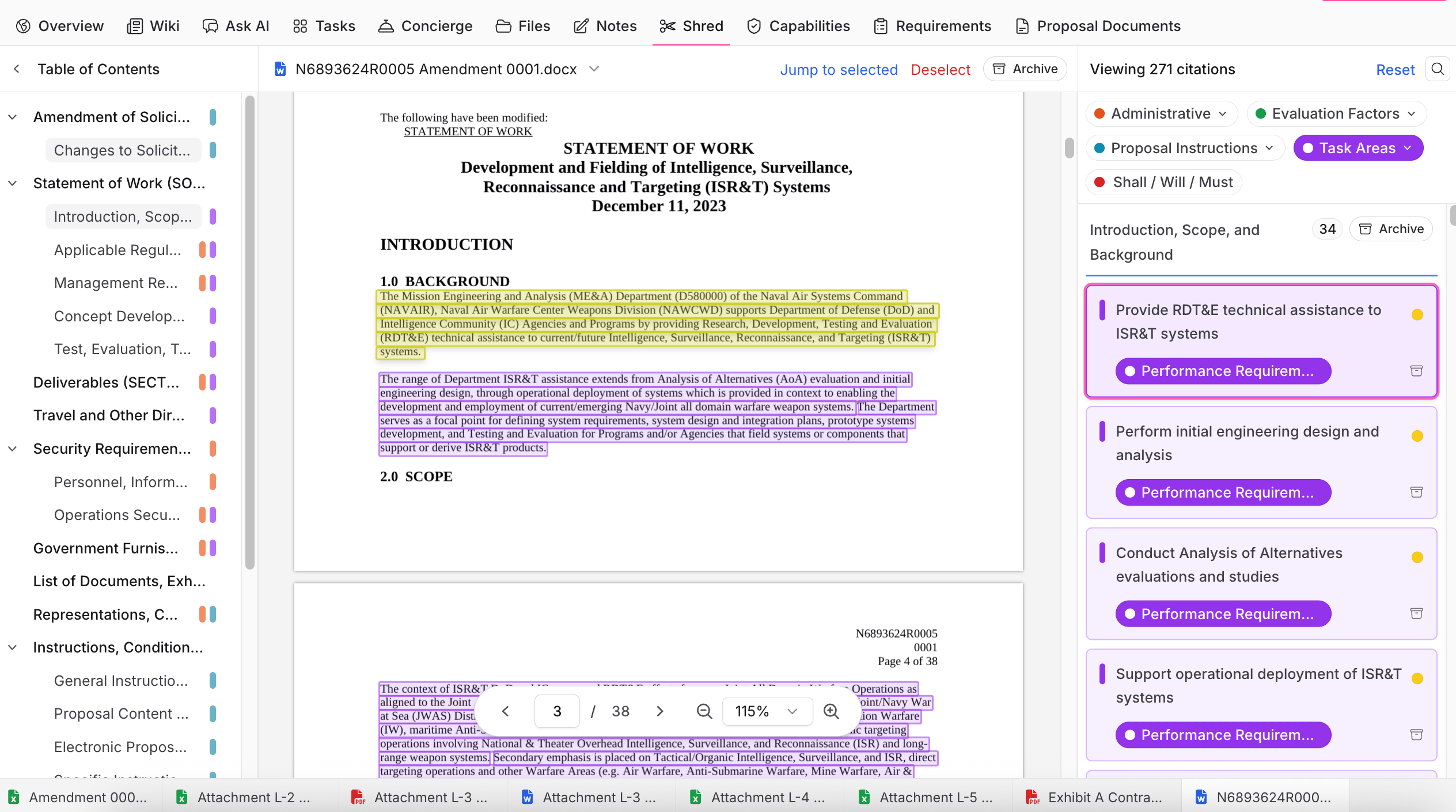
Shred is the foundation the matrices are built on. Sweetspot parses each solicitation document into categorized citations:- Administrative requirements
- Evaluation Factors (Section M)
- Proposal Instructions (Section L)
- Task Areas (Section C / SOW)
- Shall / Will / Must statements
Capabilities
The capability matrix answers one question: can we actually do this work? Every capability extracted from the shred becomes a row, scored against your organization, so you can make the bid/no-bid call on evidence and spot the gaps that need teaming partners.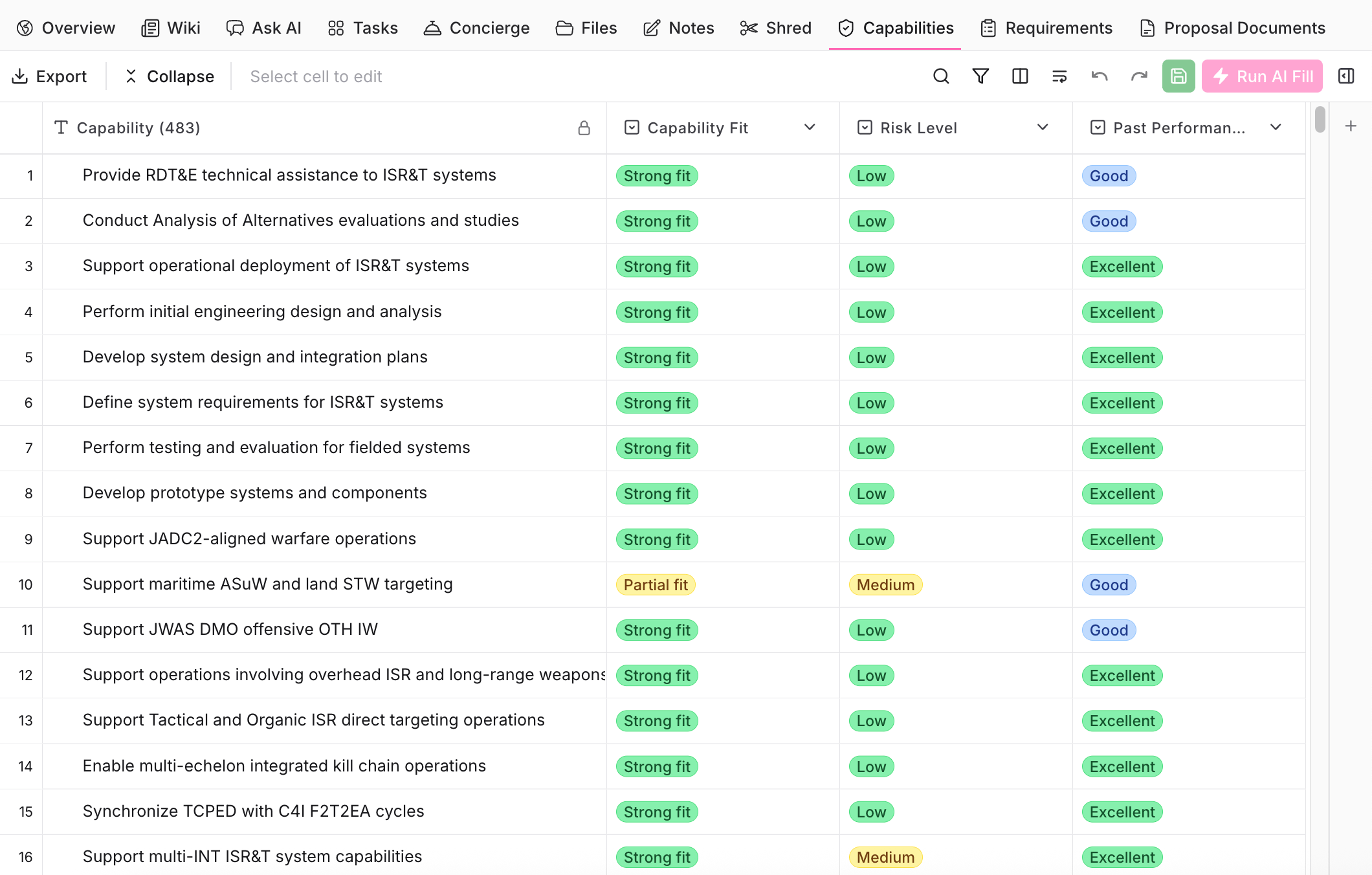
- Add a suggested column with the + next to its name. These cover the dimensions teams typically need, like Capability Fit, Risk Level, and Past Performance Relevance.
- Create a custom column: describe the data you want to extract from the solicitation shred. Name the column, give the AI instructions, and pick the answer structure: free-form text, select one, or select many, with your own answer options or options pulled from your Library. For example, add a custom column called “Past Performance Relevance Mapped” and it grades each capability (like “Strong fit”) and links the Library file it based the grade on, so you can check the source yourself.
Requirements
The compliance matrix answers the other question: are we meeting every requirement the government set? Every requirement from the shred becomes a compliance item with full traceability from RFP text to your proposal response.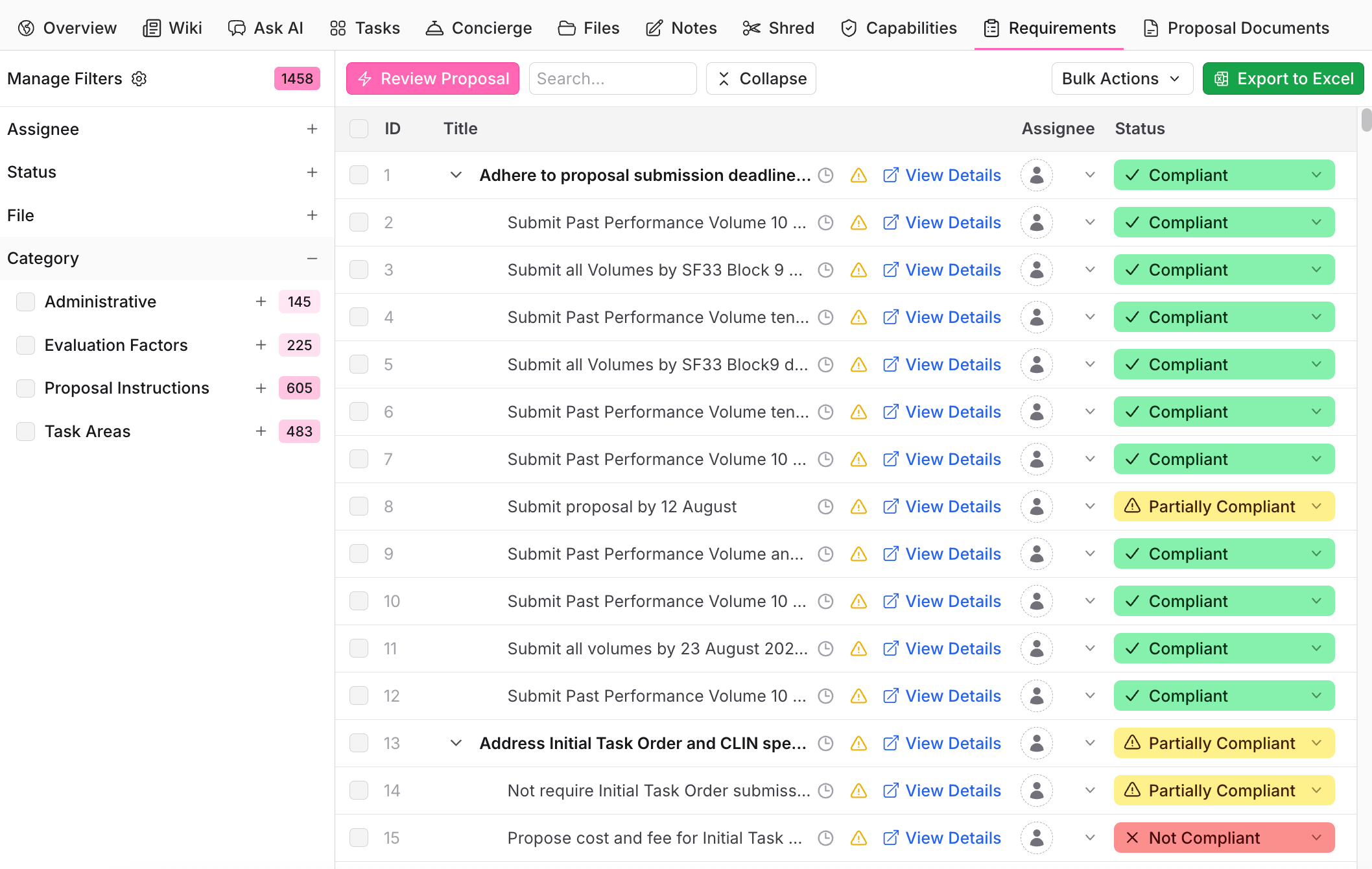
- The raw requirement text and its RFP section and page
- A category (Administrative, Evaluation Factors, Proposal Instructions, Task Areas, Deliverables)
- An assignee and due date
- A status: Not Reviewed, Not Compliant, Partially Compliant, or Compliant, with reasoning
- The proposal section, page, and excerpt where your response addresses it
Proposal Documents
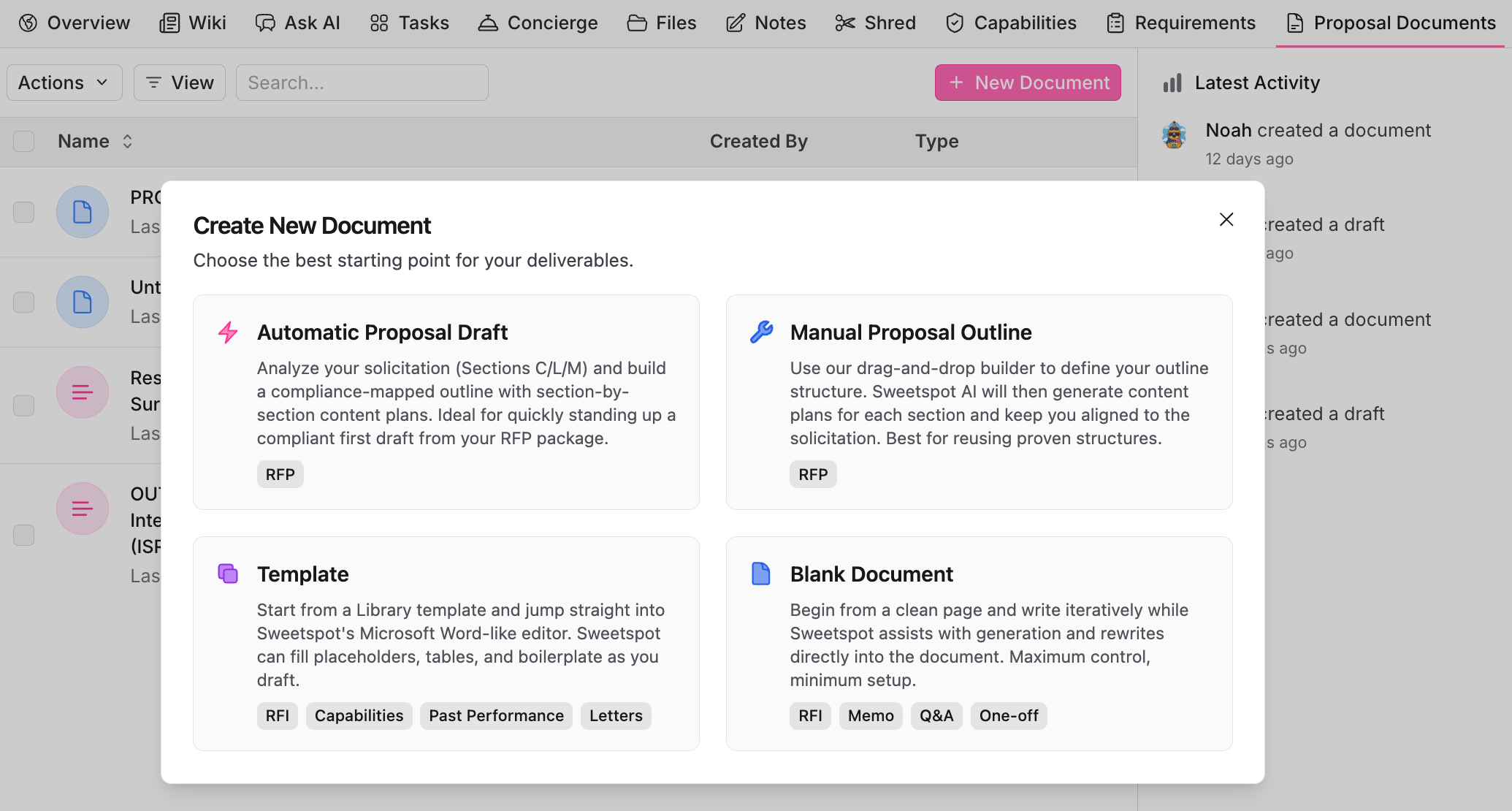
The proposal editor workspace: outlines, drafts, forms, and spreadsheets. New Document gives you four starting points:- Automatic Proposal Draft: Sweetspot analyzes the solicitation (Sections C/L/M) and builds a compliance-mapped outline with section-by-section content plans. The fastest path to a compliant first draft.
- Manual Proposal Outline: define the outline structure yourself with the drag-and-drop builder; the AI generates content plans for each section. Best for reusing proven structures.
- Template: start from a Library template in the Word-like editor; Sweetspot fills placeholders, tables, and boilerplate as you draft. Good for RFIs, capability statements, and letters.
- Blank Document: start from a clean page and write at your own pace, with the AI generating and rewriting text as you ask for it.
Typical sequence
1
Qualify
Read the Wiki for the full snapshot of the solicitation, then take your open questions to Ask AI: who the incumbent is, whether you’re eligible for the set-aside, what clearances or facilities are required, how the evaluation factors are weighted, and where your gaps are. Record the bid decision and strategy in Notes.
2
Verify the Shred
Shred runs automatically on the solicitation files. Open the tab and spot-check the extracted citations against the highlighted source text, especially evaluation factors and proposal instructions, since Requirements and Capabilities are built from them.
3
Assess your fit
In Capabilities, add the columns you score bids on and run AI Fill. Review the weak-fit and high-risk rows: those are the capabilities to shore up with teaming partners before you commit resources.
4
Draft the proposal
In Proposal Documents, start from an Automatic Proposal Draft (or a manual outline or template), then work section by section with the AI pulling from your Library.
5
Check compliance
In Requirements, give every requirement an owner and a due date so the matrix becomes each person’s work queue. As sections are written, mark compliance manually, or run Review Proposal to check every compliance item against the draft automatically. Re-run it before each color team and export to Excel for the review.