> ## Documentation Index
> Fetch the complete documentation index at: https://docs.sweetspotgov.com/llms.txt
> Use this file to discover all available pages before exploring further.
# Integrations
> Connect Sweetspot to Microsoft 365, Salesforce, GovWin, GSA eBuy, and Slack
Organization admins manage three integrations under **Settings → Integrations**: Microsoft 365, Salesforce, and GovWin. GSA eBuy and Slack are set up from the surfaces that use them, covered at the end of this page.
## Microsoft 365
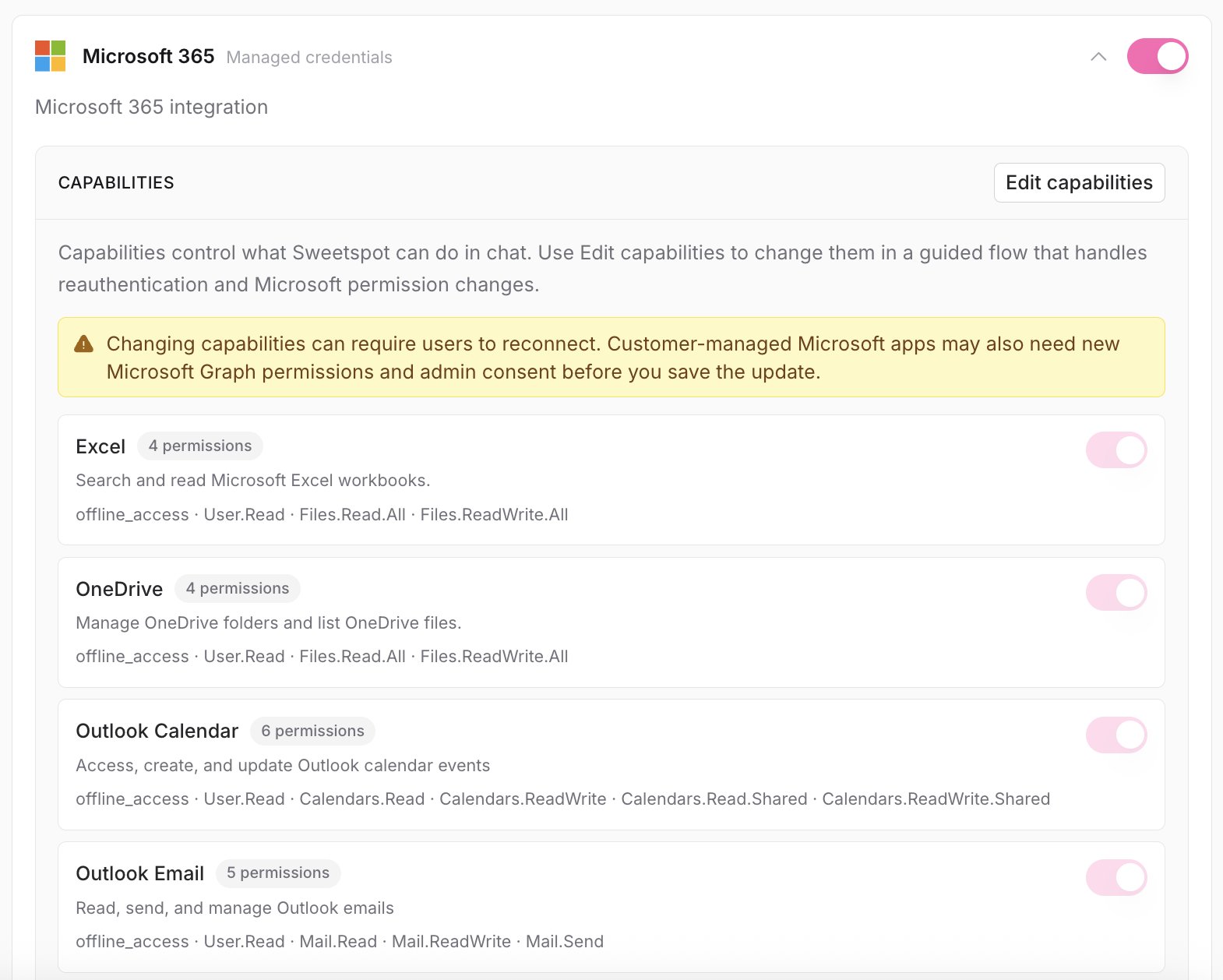 Connect your Microsoft account and Sweetspot AI can work across your Microsoft stack:
* **Outlook**: draft, review, and send email; manage meetings.
* **Word**: create documents directly.
* **PowerPoint**: generate presentation decks.
* **OneDrive & SharePoint**: browse and use your files in chat and the Library.
* **Teams**: send messages.
Sweetspot supports **Commercial, GCC, and GCC High** cloud environments. Admins can grant org-wide consent, choose Sweetspot-managed or custom (Entra) credentials, and control which **capabilities** are available in chat for the integration.
### SharePoint
SharePoint access comes with the Microsoft 365 integration; there's no separate connection to set up. Once connected, browse your SharePoint files from **Library → SharePoint** and use them in chat and drafting. Admins can restrict access to selected sites.
## Salesforce
Bi-directional sync between Sweetspot pursuits and Salesforce. Stage mapping keeps both systems current, so your team can work in Sweetspot while reporting stays in the CRM. Admins configure the Salesforce login domain and complete the sign-in to connect.
## GovWin
Connect your Deltek GovWin account to search and browse GovWin opportunities inside Sweetspot chat, analyze them with Sweetspot AI (incumbents, awarded contracts, buyer contacts), work through your GovWin bookmarks, and import opportunities into Sweetspot as pursuits with their solicitation documents.
## GSA eBuy
Set up from **Inbox**: forward your eBuy RFQ notification emails to your organization's unique Sweetspot ingest address, and every RFQ lands in your [Inbox](/intelligence/inbox) automatically with its attachments.
GSA eBuy ingestion is available on request.
## Slack
Connect your Slack workspace from the Inbox, then pick a channel per monitor in its Subscribers step to post alerts there. Your Slack identity can be managed (or disconnected) under your user settings' **Account** tab. See [Monitors](/intelligence/monitors).
Connect your Microsoft account and Sweetspot AI can work across your Microsoft stack:
* **Outlook**: draft, review, and send email; manage meetings.
* **Word**: create documents directly.
* **PowerPoint**: generate presentation decks.
* **OneDrive & SharePoint**: browse and use your files in chat and the Library.
* **Teams**: send messages.
Sweetspot supports **Commercial, GCC, and GCC High** cloud environments. Admins can grant org-wide consent, choose Sweetspot-managed or custom (Entra) credentials, and control which **capabilities** are available in chat for the integration.
### SharePoint
SharePoint access comes with the Microsoft 365 integration; there's no separate connection to set up. Once connected, browse your SharePoint files from **Library → SharePoint** and use them in chat and drafting. Admins can restrict access to selected sites.
## Salesforce
Bi-directional sync between Sweetspot pursuits and Salesforce. Stage mapping keeps both systems current, so your team can work in Sweetspot while reporting stays in the CRM. Admins configure the Salesforce login domain and complete the sign-in to connect.
## GovWin
Connect your Deltek GovWin account to search and browse GovWin opportunities inside Sweetspot chat, analyze them with Sweetspot AI (incumbents, awarded contracts, buyer contacts), work through your GovWin bookmarks, and import opportunities into Sweetspot as pursuits with their solicitation documents.
## GSA eBuy
Set up from **Inbox**: forward your eBuy RFQ notification emails to your organization's unique Sweetspot ingest address, and every RFQ lands in your [Inbox](/intelligence/inbox) automatically with its attachments.
GSA eBuy ingestion is available on request.
## Slack
Connect your Slack workspace from the Inbox, then pick a channel per monitor in its Subscribers step to post alerts there. Your Slack identity can be managed (or disconnected) under your user settings' **Account** tab. See [Monitors](/intelligence/monitors).